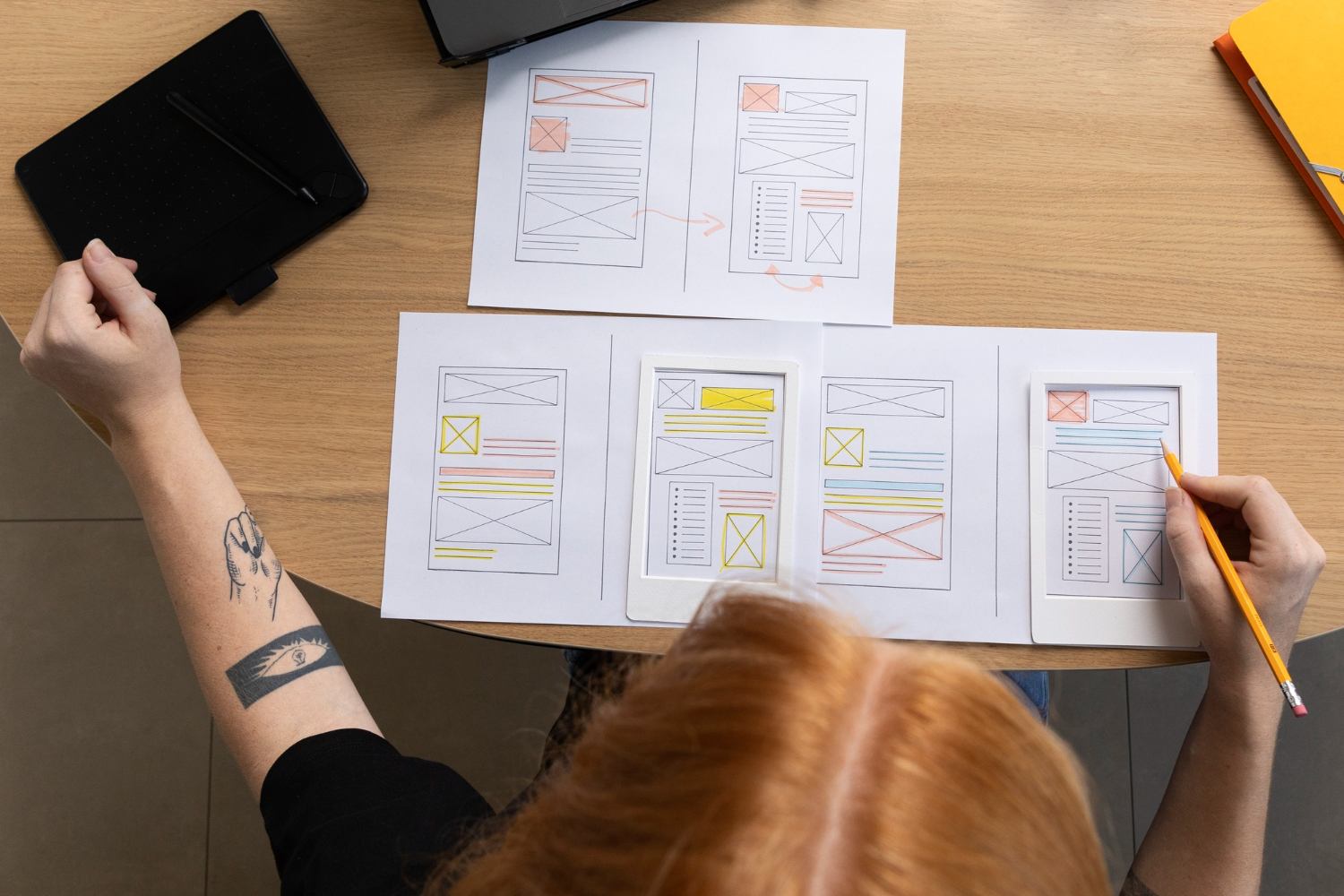
If you’ve ever opened an app and instantly felt like you belonged there, the flow, the clarity, the effortless actions, that’s great UX at work. It’s the invisible difference between products customers rave about and products they abandon without a second thought.
But here’s the catch: creating intuitive, delightful experiences requires more than a talented designer. It demands user research, accessibility knowledge, behavioral psychology, prototyping skills, and constant iteration. And as companies move faster than ever, internal design teams often struggle to keep up.
That’s where UX outsourcing becomes an invaluable asset. Done right, it gives you access to specialized talent, user insights, and lightning-fast delivery, all without expanding your full-time headcount or delaying product roadmaps. Done wrong? It can lead to misalignment, shallow design decisions, and wasted cycles.
This guide will show you how to outsource UX the right way: the benefits to expect, the pitfalls to avoid, and the proven practices that lead to better products users actually enjoy.
What Is UX Outsourcing (and When Does It Make Sense)?
UX outsourcing means partnering with external specialists to design and improve how users interact with your product. Instead of hiring a full in-house team, companies tap into outside expertise for research, design, prototyping, testing, and design systems, often faster and more cost-effectively.
Teams typically outsource UX when:
- They’re growing quickly and can’t hire fast enough.
- Design needs a spike, like before a big launch or redesign.
- They lack certain skills in-house, especially in UX research or accessibility.
- They need a fresh perspective to uncover friction and blind spots.
- They want to validate ideas before committing engineering resources.
It’s not about replacing your product strategy; it’s about enhancing it with specialists who bring structure, creativity, and user empathy to the table. For startups, it may even be the only way to access senior-level UX talent early on.
Benefits of UX Outsourcing
Outsourcing UX isn’t just a workaround for bandwidth issues. When aligned with product goals, it creates tangible business advantages:
- Faster Time-to-Improvement. External UX specialists can plug in quickly, run audits, and start fixing friction points while your in-house team keeps shipping features. No months-long hiring cycles required.
- Access to Specialized Talent. Great UX is multidisciplinary. Outsourcing gives you access to researchers, information architects, design system experts, accessibility pros, even if you don’t need them full-time.
- Cost Efficiency Without Quality Sacrifice. Hiring a senior UX team in-house is expensive, and retaining them is harder. Outsourced UX can provide the same expertise at a fraction of the long-term cost, especially in nearshore regions like Latin America.
- Objective, User-First Perspective. Internal biases can be strong. External teams challenge assumptions and focus on what users actually need versus what internal stakeholders think they need.
- Flexibility to Scale Design Up (or Down). UX needs fluctuate. Outsourcing gives you agility: expand for a major redesign, reduce after core improvements are shipped.
- Better Product Quality = Better Business Metrics. Improved UX leads to higher conversion rates, better onboarding outcomes, increased retention and engagement, and lower support and churn.
Smart UX outsourcing doesn’t just improve how your product looks; it upgrades how your business performs.
UX Roles & Skills You Can Outsource
UX is a team sport, and different specialists bring different strengths to the table. Outsourcing lets you tap into the exact expertise you need at each stage of your product’s evolution.
Here are the most common UX roles companies outsource:
- UX Researchers. They uncover user needs, motivations, and pain points through interviews, surveys, usability testing, and behavioral analytics. Insights that prevent costly rework. If you'd like to learn how to hire a standout UX researcher, check out this guide.
- UX Designers (Interaction & Experience Designers). They define user flows, navigation, wireframes, and prototypes, shaping how users move through the product. Note that they're not the same as graphic designers.
- UI / Visual Designers. They make the product feel polished through layouts, brand alignment, iconography, spacing, motion, and accessible interfaces.
- Product Designers. A hybrid strategist who balances user goals with business requirements and technical constraints, especially valuable for startups.
- Design System Experts. They maintain consistency across components, ensuring scalable, reusable design patterns that save engineering time.
- Usability Specialists. They test with real users and provide improvements based on actual behavior, not internal guesses.
- Accessibility Experts. They ensure compliance with WCAG guidelines so everyone can use your product, improving reach and reducing legal risk.
By outsourcing selectively, you can level up your product experience precisely where it needs the most focus, from foundational UX research to pixel-perfect UI execution.
How UX Outsourcing Works
Outsourced UX isn’t a black box. A well-structured UX partnership follows proven phases that take a product from insights → concepts → validated solutions.
Here are the most common services you can expect:
- Discovery & Alignment. Workshops to define objectives, user segments, key journeys, and success metrics.
- UX Research. Understanding real user behavior before designing anything.
- Information Architecture & Wireframing. Structuring content and interactions for clarity and usability.
- Prototyping & UI Design. Visualizing the experience with high-fidelity screens ready for testing and approval.
- Usability Testing & Iterations. Testing with real users to validate assumptions and eliminate friction.
- Design Systems & Component Libraries. Codifying design into scalable systems that engineering can adopt easily.
- Developer Hand-Off & Support. Smoothly transitioning designs to code with ongoing feedback loops.
Onshore vs. Offshore vs. Nearshore UX Teams
Not all UX outsourcing models deliver the same level of collaboration. The location of your design team will impact communication, speed, cultural alignment, and ultimately the product.
Onshore UX teams (same country) offer the smoothest relationship: shared language nuances, complete time-zone overlap, and the ability to collaborate in person if needed. But they’re also the most expensive option, which makes it harder for startups and scale-ups to access senior talent consistently.
Offshore UX teams (farther regions like Asia or Eastern Europe) are typically chosen for cost savings. There’s a deeper global talent pool, but time-zone gaps, async workflows, and cultural differences can create friction, especially when validating user behavior or refining quick design iterations.
Nearshore UX teams sit in the sweet spot. They work within overlapping business hours, making feedback loops faster and collaboration more natural. Cultural proximity also leads to UX decisions that better reflect American user expectations, without the high cost of onshore hiring.
In short:
- Onshore = highest quality collaboration, highest cost
- Offshore = lowest cost, highest operational friction
- Nearshore = best balance of speed, alignment, and value
For product-led teams that depend on rapid iteration and clear communication, nearshore UX talent is increasingly becoming the go-to model.
How to Choose the Right UX Outsourcing Partner
A great UX partner doesn’t just deliver screens; they elevate your product. Here’s what to look for when evaluating potential collaborators:
- A Portfolio That Solves Real Problems. Designs should be clean and modern, yes, but more importantly, they should clearly improve usability, conversions, or retention. Beware of “dribbble-only” agencies that look good but don’t perform.
- Strong UX Research Capabilities. If a team can’t show research methods, user validation, or usability testing examples, they’re likely guessing instead of learning from real users.
- Experience in Your Product Category. Fintech, marketplaces, SaaS, and healthtech; each industry has its own compliance and behavior patterns. Prior experience reduces risk.
- Clear Communication and Alignment Practices. Weekly syncs, shared tools (Figma, Miro, Jira), and documented decisions keep outsourced work tightly integrated with internal teams.
- Flexible Engagement Models. The partner should scale with you: a dedicated team for long-term needs, sprints for rapid improvements, or short projects for specific features.
- A Transparent Handoff to Engineering. A mature UX team supports development with annotations, specs, and async clarification, avoiding costly rework.
- IP Protection and Source File Ownership. All design files should be yours. If a vendor hesitates here, that’s a red flag.
The right partner feels less like a vendor and more like a natural extension of your product team.
Best Practices for Working With an Outsourced UX Team
Even the most talented design team needs the right environment to succeed. These best practices ensure the partnership stays aligned and productive:
- Share the “Why,” Not Just the “What”. Explain user goals, product strategy, and business outcomes, not just features. Context leads to stronger design decisions.
- Align on Tools and Communication Channels. Establish where work happens (Figma, Miro, Jira) and how you collaborate (Slack, weekly reviews, async comments) from day one.
- Keep Stakeholders Involved Early. Bring PMs, engineers, and leadership into key reviews so feedback is timely, not at the finish line.
- Set Measurable UX Goals. Conversion rates, task completion time, and onboarding success; when goals are clear, results are clear.
- Treat Them Like Part of Your Team. Give access to documentation, roadmaps, and real user data. Isolation leads to assumptions, and assumptions lead to friction.
- Keep Feedback Cadences Consistent. Fast, structured input prevents design dead-ends and enables rapid iteration.
- Test With Real Users Along the Way. Frequent usability testing validates what works and exposes what doesn’t before it hits engineering.
The best UX happens when teams co-own the outcome. Clear communication + shared success metrics = fewer surprises and better products.
Common Pitfalls to Avoid
UX outsourcing can unlock massive product value, but only if you avoid the traps that derail collaboration.
Here are the most frequent ones:
- Treating UX Like “Pretty Screens”. Outsourcing only UI without research leads to beautiful designs that fail real users. Prioritize insight before aesthetics.
- No Clear Owner on the Client Side. When no one inside the company drives the vision, decisions stall, and UX loses direction. Assign one accountable leader.
- Scope That’s Too Vague or Too Rigid. Ambiguity creates misalignment. But inflexible scopes ignore product learning. Strike a balance: clear goals with room to iterate.
- Waiting Until the End to Test. Skipping usability testing invites expensive redesigns. Test early, often, and with real users, not internal guesswork.
- Minimal Access to Customer Data. Design decisions become assumptions when UX teams don’t have artifacts like session recordings, analytics, or customer support insights.
- Engineering Isn’t Included. Hand-offs get messy when designers and developers don’t collaborate continuously. Keep both sides in sync from the start.
Avoiding these pitfalls ensures outsourcing becomes a growth lever, not a gap-filling compromise.
Pricing Models & Cost Expectations
UX outsourcing costs vary based on location, seniority, and scope, but choosing the right pricing model is just as important. Each comes with different advantages depending on how fast your product is evolving.
- Project-Based Pricing. Ideal for well-defined initiatives like a redesign, onboarding revamp, or UX audit. Predictable costs, but the scope needs to stay tight to avoid delays or overages.
- Dedicated UX Team (Most Common for Product-Led Companies). You get a steady group of designers and researchers fully integrated into your workflow. Great for continuous iteration, A/B testing, and fast product growth.
- Hourly or Retainer Engagements. Perfect for maintenance work or smaller feature improvements. Flexible, but requires strong backlog planning to maximize value.
What Influences Cost?
- Seniority (junior vs. senior product designer vs. specialist researcher)
- Research intensity (heavier research = higher investment, but much less risk)
- Speed & availability (accelerated delivery comes at a premium)
- Geography (onshore > nearshore > offshore in pricing)
The right model depends on where your product is in its lifecycle. If your roadmap is packed and timelines are aggressive, a dedicated team ensures momentum. If you’re validating early concepts, a shorter sprint might deliver exactly what you need.
Smart companies don’t just outsource for savings; they outsource to buy speed, expertise, and product confidence.
The Takeaway
UX isn’t a cosmetic layer; it’s the core of product success. Every smooth flow, every intuitive action, every delighted user is the result of thoughtful research, smart decisions, and consistent iteration.
Outsourcing UX gives growing teams a strategic advantage: access to top-tier expertise, faster delivery, and scalable design support without waiting months to hire or burning out internal teams. But it only works when you choose a partner who understands your users, speaks your business language, and collaborates with you in real time.
That’s where nearshore talent shines.
At South, we help U.S. companies build high-impact UX teams across Latin America, combining world-class design capability with time-zone alignment, cultural fit, and budget-friendly rates. Whether you need a single product designer or a fully integrated UX squad, we make scaling your product experience easier, smarter, and much faster.
Want to transform your product with better UX? Let’s build something users love together. Book a call with South today!
Frequently Asked Questions (FAQs)
Is outsourced UX as good as in-house design?
Yes, sometimes even better. Top outsourcing partners bring specialized expertise, wider user insight, and speed that internal teams can’t always match. The key is treating them as part of your product team, not an external vendor.
How do we protect our IP when outsourcing UX?
Use strong NDAs, ensure source files belong to you from day one, and work with reputable partners who respect confidentiality and compliance standards.
What tools are typically used when collaborating with outsourced UX teams?
Figma for design, Miro for workshops, Jira or ClickUp for tasks, Zoom/Slack for communication, and analytics or testing tools like Hotjar, Maze, or FullStory.
How do we ensure we’re designing for the right users?
Include UX research in the scope. User interviews, usability tests, and journey mapping prevent costly misalignment later in development.
What does onboarding a UX outsourcing partner look like?
You’ll share product goals, analytics access, design history, brand guidelines, and roadmap context. A quick alignment sprint sets expectations and kickstarts collaboration smoothly.