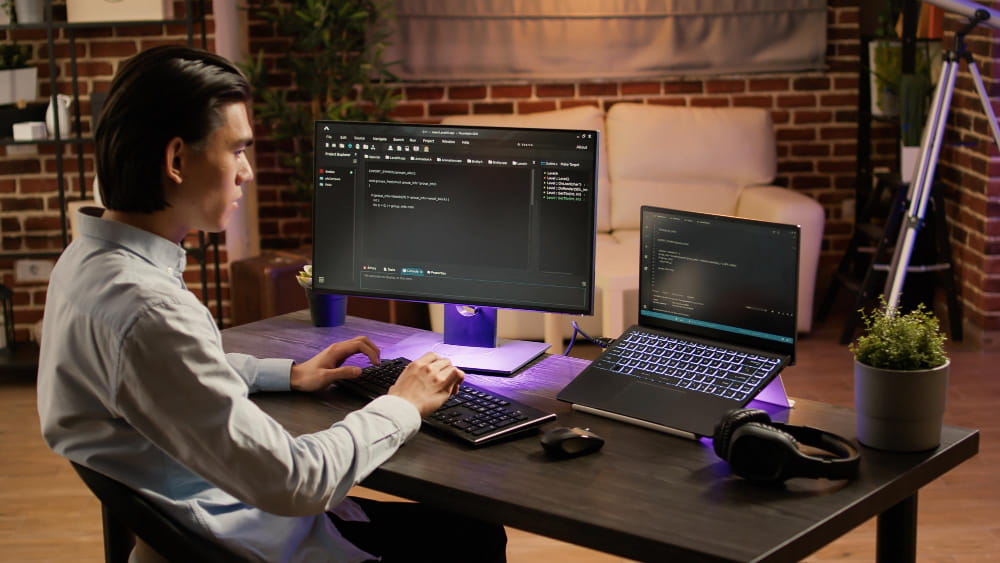

Browsers can handle plenty, but some business workflows need more processing power, offline access, and direct control over local data or hardware. That’s where desktop applications still have a clear advantage.
Desktop application development services cover the design, engineering, testing, deployment, and maintenance of software installed on Windows, macOS, or Linux computers. Companies use custom desktop application development for internal operations tools, financial software, point-of-sale systems, engineering platforms, and applications that connect with scanners, medical devices, or industrial equipment.
Depending on the project, teams may choose native development with C#, .NET, or Swift, or use cross-platform desktop development frameworks such as Electron and Tauri. This has created growing demand for specialized Electron developers and Tauri developers.
This guide covers the main desktop app development services, technologies, costs, timelines, and hiring models. It’ll also help you decide when desktop software makes sense and how to find desktop application developers with the right experience.
What Are Desktop Application Development Services?
Desktop application development services cover the full process of creating software that users install and run directly on a computer. This can include product planning, interface design, coding, testing, deployment, updates, and ongoing technical support.
Unlike web applications, desktop software can access more of a device’s processing power, local storage, operating system features, and connected hardware. It can also keep working without a constant internet connection, which makes it useful for businesses with complex, data-heavy, or equipment-dependent workflows.
A desktop application development company may provide services such as:
- Custom desktop application development
- Windows, macOS, and Linux development
- Native and cross-platform desktop development
- Database and API integrations
- Hardware and peripheral integrations
- Desktop software testing and performance optimization
- Application maintenance and security updates
- Legacy application modernization
Desktop applications are different from mobile apps, which are designed for phones and tablets, and web apps, which run inside a browser. The right format depends on where the software will be used, how much computing power it needs, and which systems it must connect to.
When Does a Business Need a Desktop Application?
A browser-based tool works well for many products, but some workflows need the speed, system access, and offline reliability that only desktop software can provide. A custom desktop application makes sense when performance or device integration directly affects how people work.
Businesses often invest in desktop software development when they need to:
- Process large files, complex calculations, or high volumes of data
- Let employees work without a stable internet connection
- Connect software with printers, scanners, cameras, medical devices, or industrial equipment
- Store sensitive information locally or within a private network
- Access operating system features that browsers can’t fully support
- Build detailed interfaces with shortcuts, multiple windows, and advanced controls
- Create enterprise desktop applications for specialized internal workflows
Common examples include point-of-sale systems, financial modeling tools, CAD software, inventory platforms, media editors, healthcare applications, and manufacturing control systems.
The right approach depends on the users and their devices. A company operating mainly in a Microsoft environment may prioritize Windows application development, while a product serving several operating systems may benefit from cross-platform desktop development. The goal is to choose the format that supports the workflow without adding unnecessary complexity.
Types of Desktop Application Development Services
Desktop application development services can cover everything from building a new product to improving software a company already relies on. The right service depends on the operating system, technical requirements, and long-term product roadmap.
Custom Desktop Application Development
Custom desktop application development focuses on software designed around a company’s specific workflows, users, and integrations. These projects may include internal business tools, financial platforms, inventory systems, engineering software, or customer-facing products.
Windows Application Development
Windows application development is ideal for companies that operate within Microsoft environments. Developers commonly use C#, .NET, WPF, WinUI, and C++ to build secure business applications that integrate with Windows devices, databases, and enterprise systems.
macOS and Linux Application Development
Native macOS applications are often built with Swift, SwiftUI, Objective-C, or AppKit. Linux application development is common in engineering, cybersecurity, scientific research, infrastructure, and other technical fields that require flexibility and system-level control.
Cross-Platform Desktop Development
Cross-platform desktop development allows teams to build applications for Windows, macOS, and Linux using a single codebase. Frameworks such as Electron, Tauri, Qt, Flutter, and .NET MAUI can reduce duplicated development work and simplify multi-platform maintenance.
Desktop Software Modernization
Older desktop software may need updated architecture, stronger security, a redesigned interface, or compatibility with current operating systems. Legacy application modernization can extend the useful life of an existing product while making future updates easier to manage.
Integration, Testing, and Maintenance
Desktop app development services can also include API integrations, database connections, hardware support, performance optimization, quality assurance, security updates, and ongoing maintenance. These services help keep the application stable as operating systems, dependencies, and business requirements change.
Native vs. Cross-Platform Desktop Application Development
One of the first decisions in desktop software development is whether to build a native application for each operating system or use a shared codebase across Windows, macOS, and Linux.
Native desktop application development uses tools created specifically for one platform. A Windows app might be built with C# and .NET, while a macOS application may use Swift or AppKit. This approach gives developers greater control over performance, system features, and the user experience.
Cross-platform desktop development uses frameworks such as Electron, Tauri, Qt, Flutter, or .NET MAUI to support multiple operating systems with more shared code. It can help teams launch across several platforms faster and simplify ongoing desktop application maintenance.
Native Windows application development may be the best fit for software that needs deep Microsoft integration, specialized hardware access, or demanding performance. Cross-platform desktop app development often works well for productivity tools, internal platforms, communication apps, and products that need to reach users across several operating systems.
The best choice depends on the application’s performance requirements, integrations, target users, and long-term maintenance plan.
Popular Desktop Application Development Technologies
The right technology stack affects performance, system compatibility, development time, and long-term maintenance. A desktop application development company should choose tools based on the product’s operating systems, hardware requirements, security needs, and expected workload.
C# and .NET remain common choices for Windows desktop application development, especially when software must connect with Microsoft tools, databases, or existing enterprise systems. C++ is often used when speed, memory control, or direct hardware access is a priority.
For cross-platform desktop app development, Electron lets developers build installable software with familiar web technologies. Tauri offers a lighter alternative for teams concerned about application size and resource consumption. Companies can also hire Electron developers or Tauri developers when they need specialized framework experience.
The strongest desktop application framework is the one that fits the product’s technical requirements and the team’s ability to maintain it over time.
The Desktop Application Development Process
A clear desktop application development process helps teams reduce technical risks, control costs, and build software that works reliably across the intended devices and operating systems. While every project is different, most custom desktop software development follows these core stages.
1. Define the Requirements
The team first identifies the users, business goals, core features, supported operating systems, security needs, and technical constraints. This stage should also document offline functionality, hardware connections, data storage, and third-party integrations.
2. Choose the Technology Stack
Developers decide between native and cross-platform desktop development based on performance, system access, timeline, and maintenance requirements. They also select the programming languages, desktop application frameworks, databases, and supporting tools.
3. Design the User Experience
Desktop application design must account for larger screens, multiple windows, keyboard shortcuts, menus, accessibility, and platform-specific behavior. The interface should make complex workflows feel clear and efficient.
4. Build a Prototype or MVP
A prototype allows the team to validate the interface, technical architecture, and most important workflows before committing to full development. This is especially useful for hardware integrations or performance-heavy applications.
5. Develop and Integrate the Application
Desktop application developers build the interface, business logic, local storage, APIs, authentication, and system integrations. Work is usually completed in stages so stakeholders can review progress and test features early.
6. Test Across Devices and Operating Systems
Desktop application testing covers functionality, performance, security, compatibility, installation, updates, and hardware configurations. Cross-platform applications must also be tested separately on Windows, macOS, and Linux.
7. Deploy and Maintain the Software
The final application may be distributed through a company network, direct download, app store, or package manager. Ongoing desktop application maintenance includes bug fixes, security patches, dependency updates, compatibility improvements, and new features.
A structured development process makes the application easier to launch, support, and improve as business requirements change.
How Much Do Desktop Application Development Services Cost?
Desktop application development costs can range from around $40,000 for a focused business tool to $400,000 or more for complex, multi-platform software. The final budget depends on the features, supported operating systems, integrations, security requirements, and hiring model.
These figures are broad planning estimates. A desktop application development company will usually calculate the actual price after reviewing the technical requirements and product roadmap.
The main factors affecting desktop app development cost include:
- Number of supported operating systems
- Native or cross-platform desktop development
- Application features and interface complexity
- Offline storage and data synchronization
- Hardware, API, and database integrations
- Security and compliance requirements
- Migration from existing desktop software
- Testing across devices and OS versions
- Deployment, automatic updates, and maintenance
- Developer location and seniority
Supporting Windows, macOS, and Linux can increase the budget, especially when each platform requires its own native codebase. Cross-platform development may reduce duplicated work, though applications with demanding performance or deep system integrations can still require platform-specific engineering.
Companies also need to choose between a fixed-price project, an external development agency, or a dedicated internal team. For ongoing product development, hiring full-time engineers can offer greater continuity and control. Our guides to software developer rates by country and hiring dedicated software developers provide additional benchmarks for building your development budget.
A realistic estimate should include discovery, design, development, testing, deployment, and post-launch maintenance, not coding alone.
How Long Does Desktop Application Development Take?
Desktop application development timelines vary based on the product’s complexity, supported operating systems, integrations, and testing requirements. A focused internal tool may take a few months, while complex enterprise desktop software can require a year or longer to plan, build, test, and deploy.
The main factors affecting a desktop app development timeline include:
- Number and complexity of features
- Windows, macOS, and Linux support
- Native or cross-platform desktop development
- Hardware, API, and database integrations
- Offline functionality and data synchronization
- Security and compliance requirements
- User interface complexity
- Availability of technical documentation
- Testing across operating systems and devices
- Stakeholder feedback and approval cycles
Cross-platform desktop application development can shorten parts of the process by allowing developers to reuse code. However, each operating system still requires dedicated compatibility, installation, performance, and usability testing.
Projects involving connected hardware, large data volumes, or older software often need more discovery and technical validation before full development begins. Building a prototype first can help the team test difficult integrations and refine the desktop application architecture early.
A realistic schedule should include time for requirements, design, development, quality assurance, deployment, and post-launch improvements.
Desktop Application Development Hiring Models
Companies can build desktop software through freelancers, development agencies, staff augmentation, or dedicated developers. The right hiring model depends on how much control, speed, and long-term product ownership the project requires.
Freelance Desktop Developers
Freelancers can be a practical choice for prototypes, isolated features, bug fixes, or short-term desktop application maintenance. This model works best when the project has a clear scope, and someone internally can manage technical decisions, deadlines, and quality assurance.
Desktop Application Development Company
A desktop application development company can manage discovery, design, engineering, testing, and deployment as one project. Agencies are often a good fit for businesses that need an external team to take responsibility for delivery.
This approach can simplify project management, although the company may have less direct control over individual developers and day-to-day technical decisions.
Staff Augmentation
Desktop development staff augmentation allows companies to add specialized engineers to an existing product team for a defined period. It can help fill skill gaps in areas such as .NET desktop development, C++, Electron, Tauri, Qt, or automated testing.
The internal team continues to manage the roadmap and development process while the external engineers provide additional capacity.
Dedicated Desktop Application Developers
Hiring dedicated desktop application developers is well suited to long-term products that require regular updates, platform support, and close collaboration with internal teams.
Dedicated developers work directly within the company’s processes and can develop deeper knowledge of the software over time. This model is especially useful for enterprise desktop applications, ongoing modernization projects, and products that need continuous maintenance across Windows, macOS, or Linux.
Companies with an established technical lead often benefit most from staff augmentation or dedicated developers, while businesses without an internal engineering function may prefer an agency-led project.
What Roles Are Needed to Build a Desktop Application?
A desktop application development team can be as small as one experienced engineer or include several specialists. The right structure depends on the product’s complexity, supported operating systems, integrations, and security requirements.
Common roles include:
- Software architect: Defines the desktop application architecture, technology stack, data flow, and integration strategy.
- Desktop application developer: Builds the interface, business logic, local storage, and operating system features.
- C# or .NET developer: Develops Windows business applications, internal tools, and software connected to Microsoft systems.
- C++ developer: Handles performance-intensive applications, hardware integrations, and system-level functionality.
- Electron or Tauri developer: Builds cross-platform desktop applications using shared web technologies.
- Backend developer: Creates APIs, databases, cloud services, authentication, and synchronization features.
- UI/UX designer: Designs desktop interfaces, menus, navigation, shortcuts, and multi-window workflows.
- QA engineer: Manages desktop application testing across operating systems, devices, screen sizes, and hardware configurations.
- DevOps engineer: Supports deployment, installers, release pipelines, monitoring, and automatic updates.
- Project or product manager: Coordinates requirements, priorities, timelines, stakeholders, and development milestones.
A simple internal tool may only require a senior desktop software developer and a QA specialist. A complex enterprise desktop application could need separate Windows, macOS, backend, design, security, and testing experts.
The team should cover the entire product lifecycle, including architecture, development, deployment, testing, and long-term desktop application maintenance.
How to Evaluate Desktop Application Developers
Strong desktop application developers need more than experience with a programming language. They should understand operating systems, performance, local data, deployment, security, and the technical challenges that come with software installed on users’ devices.
When reviewing candidates, look for experience in these areas:
Relevant Technology Experience
The developer should have hands-on experience with the stack your project requires, whether that includes C#, .NET, C++, Swift, Electron, Tauri, Qt, JavaFX, or another desktop application framework.
Ask for examples of desktop software they’ve built and clarify which parts they personally handled.
Operating System Knowledge
A developer building Windows applications should understand Windows APIs, installers, permissions, and Microsoft development tools. The same applies to macOS or Linux application development.
For cross-platform desktop development, candidates should know how to manage platform-specific behavior rather than assuming one codebase will work identically everywhere.
Performance Optimization
Desktop software may need to process large files, run complex calculations, or remain open for long periods. Developers should know how to identify memory leaks, reduce CPU usage, manage background tasks, and improve startup times.
Local Data and Offline Functionality
Evaluate the developer’s experience with local databases, file storage, encryption, caching, and offline synchronization. These skills are especially important when users need to work without a reliable internet connection.
Hardware and System Integrations
Projects that connect with printers, scanners, cameras, payment terminals, medical devices, or industrial equipment require specialized integration experience. Ask candidates how they’ve handled device drivers, permissions, connection failures, and hardware testing.
Security Practices
Desktop application security may involve encrypted local data, secure credential storage, user permissions, code signing, update verification, and protection against unauthorized access.
Candidates should be able to explain how they approach security throughout development rather than treating it as a final testing step.
Testing and Deployment Experience
A qualified desktop software developer should understand compatibility testing, installers, automatic updates, crash reporting, and release management across different operating systems and hardware configurations.
Communication and Documentation
Desktop applications often stay in use for years. Look for developers who document architecture, setup instructions, dependencies, deployment processes, and platform-specific decisions.
The best candidate combines technical depth with the ability to build software that another developer can understand, maintain, and improve over time.
Desktop Application Developer Interview Questions
The right interview questions should reveal how a candidate thinks about architecture, performance, operating systems, security, and long-term maintenance. Use a mix of technical and experience-based questions to evaluate desktop application developers beyond their résumé.
- How do you decide between native and cross-platform desktop development?
Look for an answer that considers performance, system access, supported platforms, budget, timeline, and maintenance. - Which desktop application framework would you recommend for this project, and why?
A strong candidate should connect the technology choice to the product requirements rather than defaulting to their preferred framework. - How have you handled offline functionality and data synchronization?
Ask about local databases, conflict resolution, caching, encryption, and what happens when the connection returns. - How do you test software across Windows, macOS, or Linux?
The developer should mention compatibility testing, operating system versions, hardware differences, permissions, installers, and platform-specific behavior. - How do you improve desktop application performance?
Listen for experience with memory management, CPU usage, startup speed, background processes, profiling tools, and large data sets. - How would you secure sensitive data stored on a user’s device?
Relevant topics may include encryption, secure credential storage, access controls, code signing, and update verification. - Have you integrated desktop software with external hardware?
Ask the candidate to explain the device, communication method, technical challenges, and how they tested connection failures. - How do you design installers and automatic updates?
A desktop software developer should understand packaging, versioning, rollback procedures, code signing, and safe update delivery. - Tell us about a platform-specific bug you solved.
This question helps evaluate debugging skills and practical knowledge of native APIs, permissions, file systems, or operating system behavior. - What documentation do you create for long-term maintenance?
Strong candidates should document the architecture, dependencies, setup process, deployment steps, technical decisions, and known limitations. - How do you approach modernizing an older desktop application?
Look for a gradual approach that assesses the existing codebase, business-critical features, security risks, integrations, and migration priorities. - How do you collaborate with product managers, designers, and QA engineers?
Desktop application development often involves complex workflows, so clear communication and early technical feedback are essential.
The strongest answers include specific examples, tradeoffs, and measurable outcomes from previous desktop software development projects.
Common Desktop Application Development Mistakes
Desktop software can become expensive to maintain when early technical decisions overlook how the application will be installed, updated, secured, and used across different devices. Avoiding these mistakes can reduce rework and improve the product’s long-term stability.
Choosing a Framework Too Early
Teams sometimes select a desktop application framework before defining performance needs, operating systems, hardware integrations, and security requirements. The technology stack should support the product rather than shape it unnecessarily.
Treating a Desktop App Like a Web Page
Desktop application design needs to account for keyboard shortcuts, multiple windows, menus, local files, drag-and-drop actions, and platform-specific controls. Copying a browser interface directly can create a frustrating user experience.
Underestimating Platform Differences
Cross-platform desktop development allows teams to share code, but Windows, macOS, and Linux still handle permissions, file systems, notifications, installers, and system features differently. Each platform needs dedicated testing and adjustments.
Ignoring Installation and Updates
Installers, code signing, version management, automatic updates, and rollback plans should be considered early. A well-built application can still create problems when deployment is unreliable, or updates interrupt users’ work.
Testing on Too Few Devices
Desktop application testing should cover different operating system versions, processors, screen sizes, hardware configurations, permissions, and connected devices. Testing on a single developer machine leaves important compatibility issues undiscovered.
Storing Local Data Insecurely
Desktop software may store credentials, customer information, files, or business data directly on a device. Encryption, access controls, secure credential storage, and update verification should be part of the desktop application security plan.
Overlooking Performance Over Time
Memory leaks, background processes, large files, and long-running sessions can gradually reduce performance. Developers should test CPU usage, memory consumption, startup speed, and application stability under realistic workloads.
Failing to Document the Application
Poor documentation makes desktop application maintenance slower and increases dependence on individual developers. Teams should document the architecture, dependencies, integrations, deployment process, and platform-specific decisions.
The most reliable custom desktop applications are designed for real operating environments, including the devices, users, updates, and maintenance work that come after launch.
How to Hire Desktop Application Developers in Latin America
Companies building long-term desktop products often need developers who can collaborate closely with internal engineering, product, and QA teams. Latin America gives U.S. businesses access to experienced software professionals who work in overlapping time zones and can contribute throughout the desktop application development lifecycle.
Businesses can hire desktop application developers in Latin America for roles such as:
- C# and .NET desktop developers
- C++ software engineers
- Windows application developers
- macOS and Linux developers
- Electron and Tauri developers
- Qt and JavaFX developers
- QA automation engineers
- Backend and integration specialists
Before hiring, define the operating systems, technology stack, required integrations, and level of seniority. Candidates should have relevant experience with desktop software architecture, local data storage, security, performance optimization, installers, and application updates.
A strong portfolio should include products similar to yours in complexity or technical requirements. During interviews, ask candidates to explain the decisions they made, the challenges they solved, and how they supported the software after launch.
South helps U.S. companies hire software developers in Latin America who work directly with their internal teams. Instead of outsourcing the entire project to a desktop application development company, businesses can build a dedicated team and retain control over priorities, workflows, and technical decisions.
This model works especially well for products that need continuous development, desktop application maintenance, and long-term technical ownership.

Build Your Desktop Application Team With South
A successful desktop product needs developers who understand more than code. They must be able to work with operating systems, local data, hardware integrations, security requirements, deployment, and long-term maintenance.
South helps U.S. companies hire software developers in Latin America for full-time roles within their existing teams. You can find C# and .NET developers, C++ engineers, Windows application developers, QA specialists, and cross-platform experts with experience in frameworks such as Electron and Tauri.
You retain control over the product roadmap, development process, and technical decisions while gaining professionals who collaborate during U.S. working hours. That continuity is especially valuable for custom desktop application development, where software may require years of updates, compatibility work, and feature improvements.
Whether you’re building a new product, expanding an internal development team, or modernizing existing desktop software, South can help you find the technical talent your roadmap requires.
Schedule a call with South to start building your desktop application development team.
Frequently Asked Questions (FAQs)
What are desktop application development services?
Desktop application development services include planning, designing, building, testing, deploying, and maintaining software installed directly on Windows, macOS, or Linux computers. They may also cover integrations, performance optimization, security updates, and legacy desktop software modernization.
How much does it cost to develop a desktop application?
Desktop application development costs vary based on complexity, supported operating systems, features, integrations, and security requirements. A focused business tool may cost around $40,000, while complex enterprise or multi-platform desktop software can cost several hundred thousand dollars.
How long does desktop application development take?
A prototype may take four to eight weeks, while a complete desktop application can take three months to more than a year. Projects involving multiple operating systems, hardware integrations, compliance requirements, or older software usually take longer.
What programming languages are used for desktop application development?
Common options include C#, C++, Swift, Java, JavaScript, TypeScript, Dart, and Rust. The right language depends on the operating system, application framework, performance requirements, and long-term maintenance plan.
What is the best framework for desktop application development?
There’s no single best desktop application framework for every project. Electron and Tauri are popular for cross-platform applications, while .NET and WinUI are common for Windows development. Swift and SwiftUI are widely used for native macOS applications, and Qt supports complex software across several platforms.
What is the difference between native and cross-platform desktop development?
Native desktop application development uses platform-specific tools and code, which can offer deeper system access and a more tailored user experience. Cross-platform desktop development allows teams to share more code across Windows, macOS, and Linux, which may reduce development and maintenance work.
Can one desktop application run on Windows, macOS, and Linux?
Yes. Frameworks such as Electron, Tauri, Qt, Flutter, and .NET MAUI can support cross-platform desktop app development. However, each operating system still requires separate testing for performance, permissions, installation, updates, and user experience.
Are desktop applications more secure than web applications?
Desktop applications can offer greater control over local data and system access, but their security depends on how they’re built and maintained. Encryption, secure credential storage, code signing, access controls, update verification, and regular security patches are essential.
Can desktop software work without an internet connection?
Yes. Offline functionality is one of the main reasons businesses choose custom desktop application development. The software can store data locally and synchronize it with cloud systems when an internet connection becomes available.
Where can companies hire desktop application developers?
Companies can work with freelancers, development agencies, staff augmentation providers, or dedicated developers. South helps U.S. businesses hire software developers in Latin America for full-time roles that support ongoing desktop software development and maintenance.